


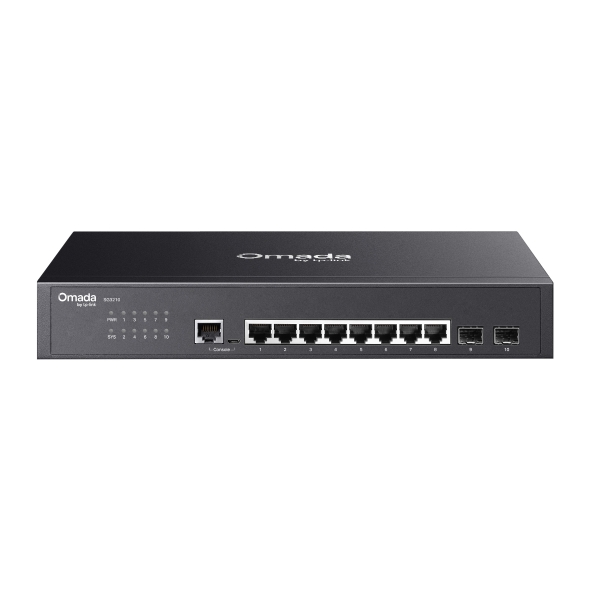
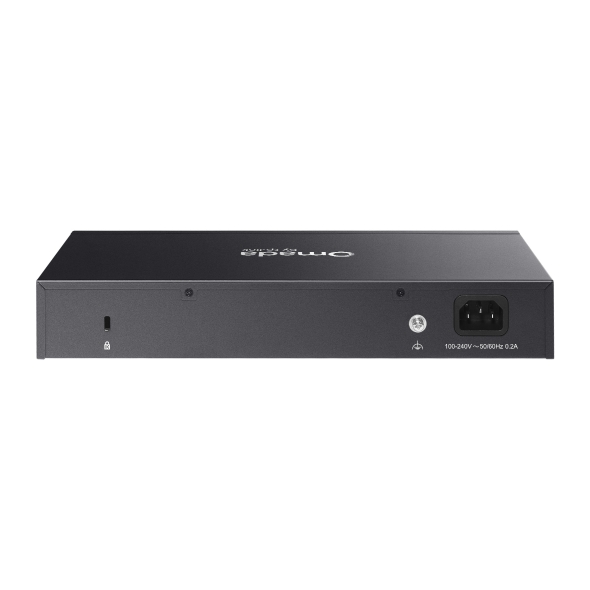
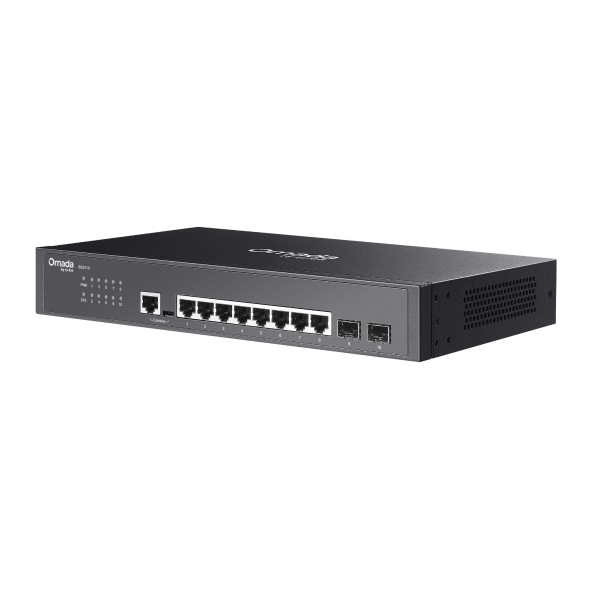
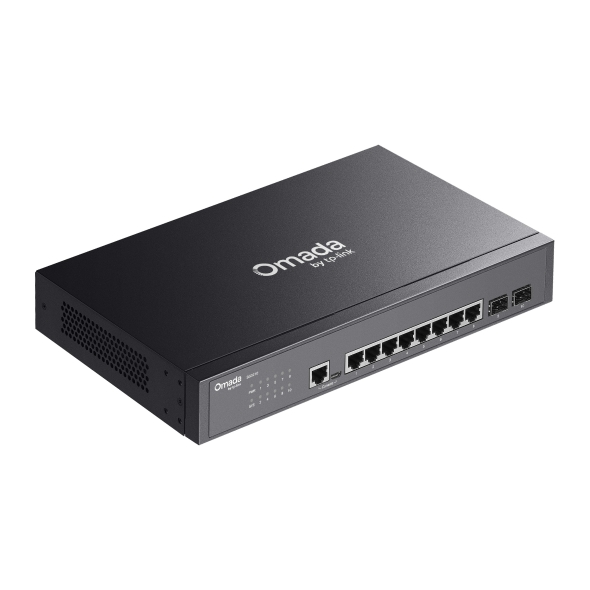
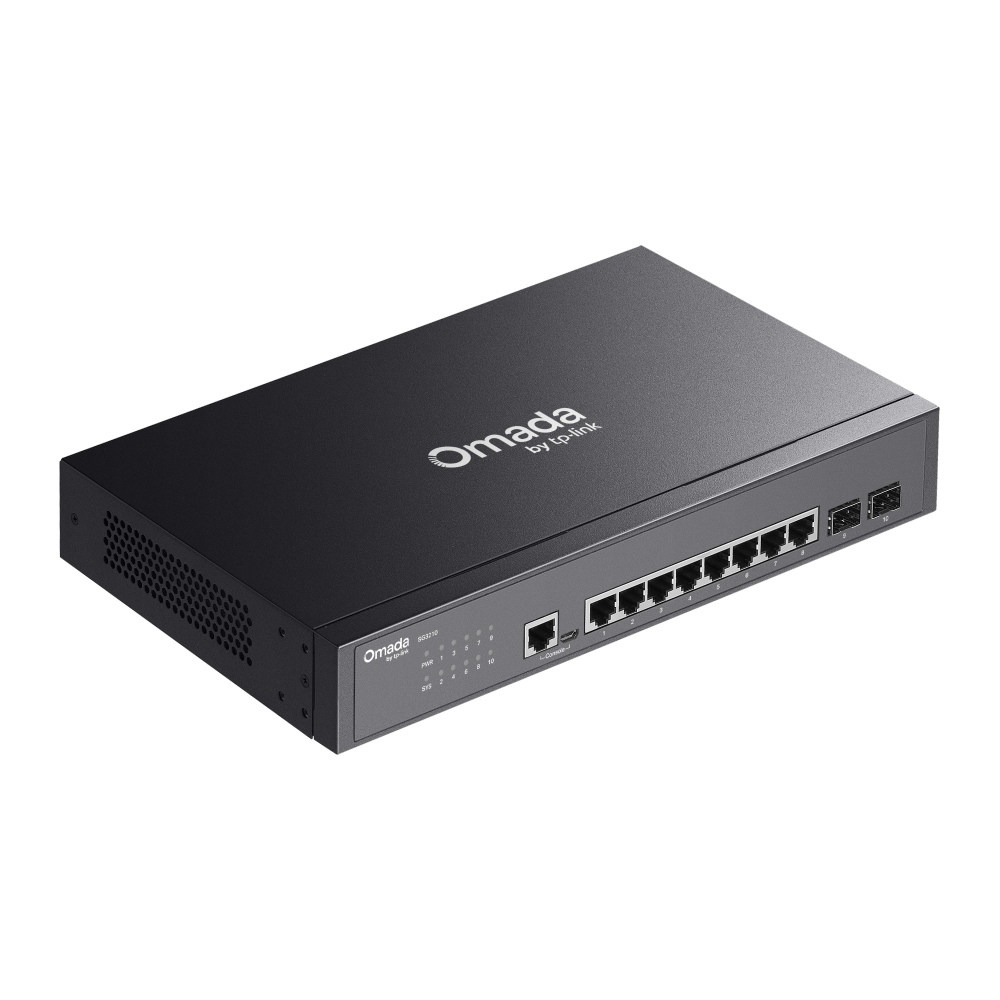
Omada Access 8-Port Gigabit Switch with 2 SFP Slots
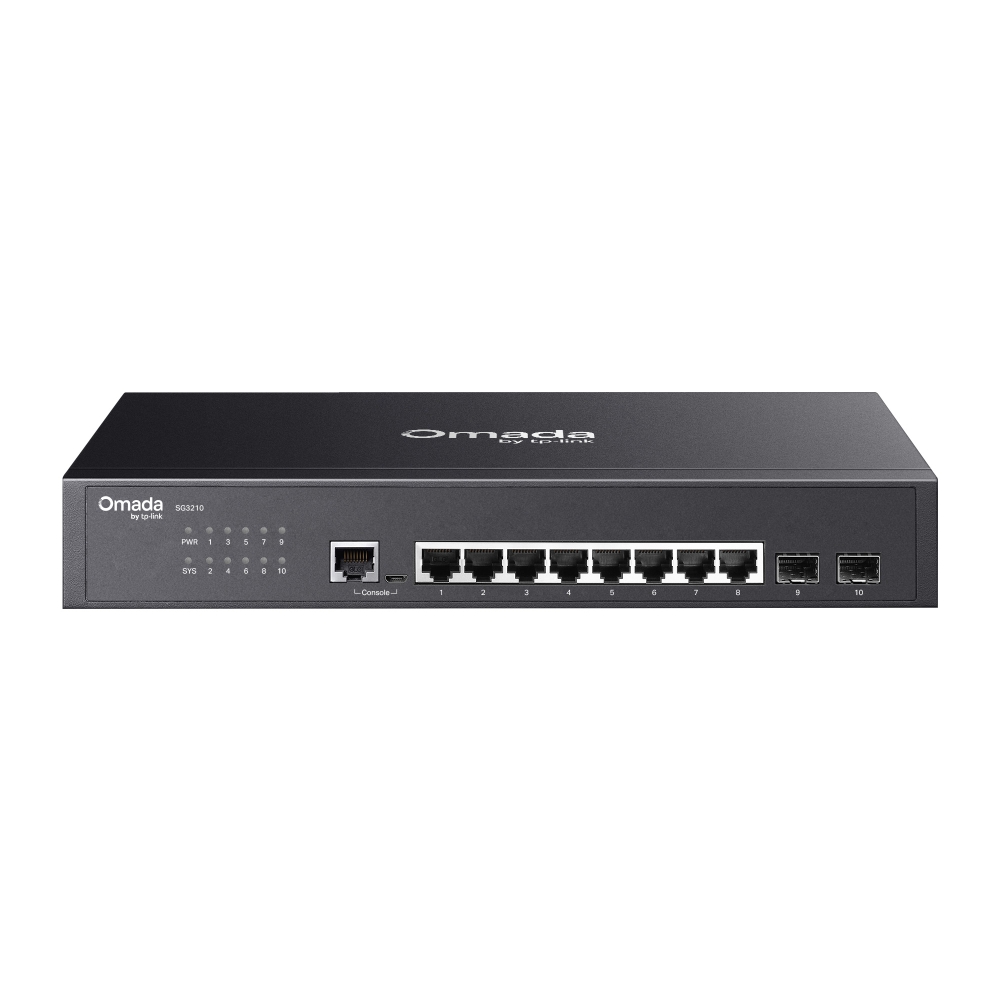
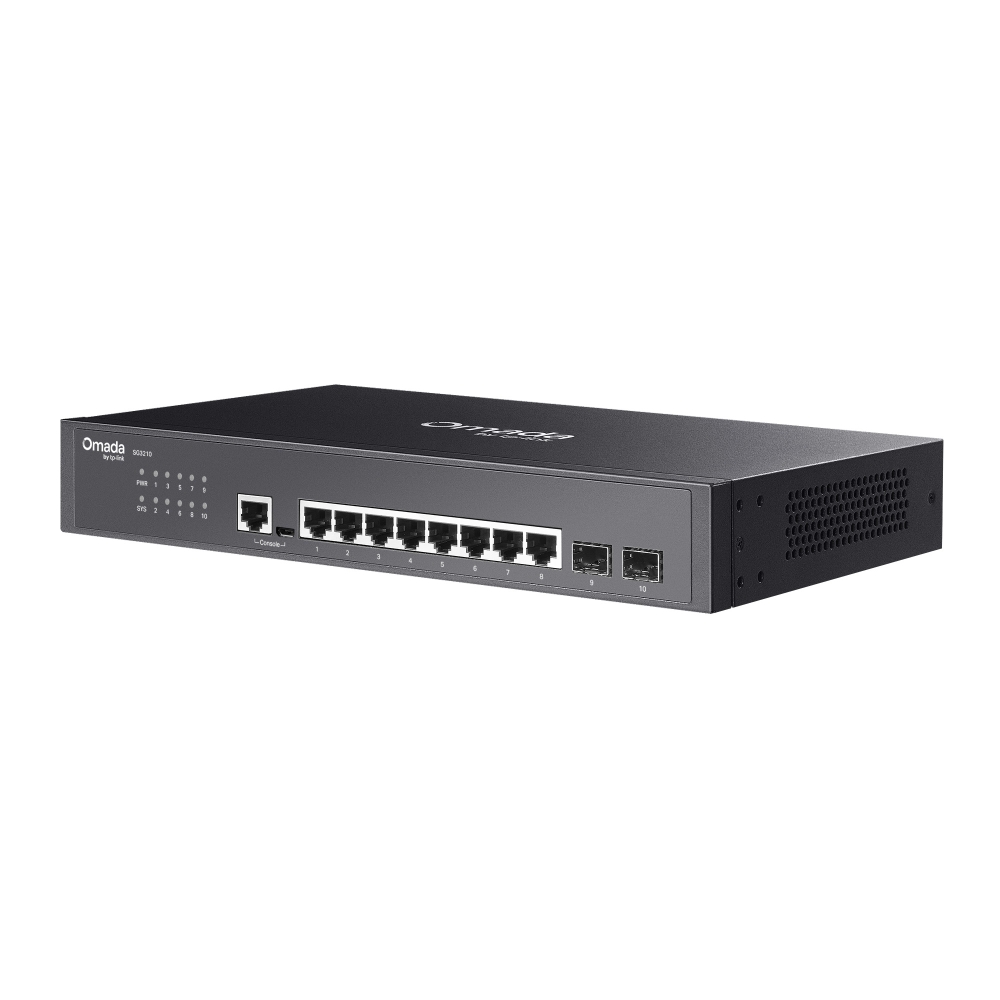
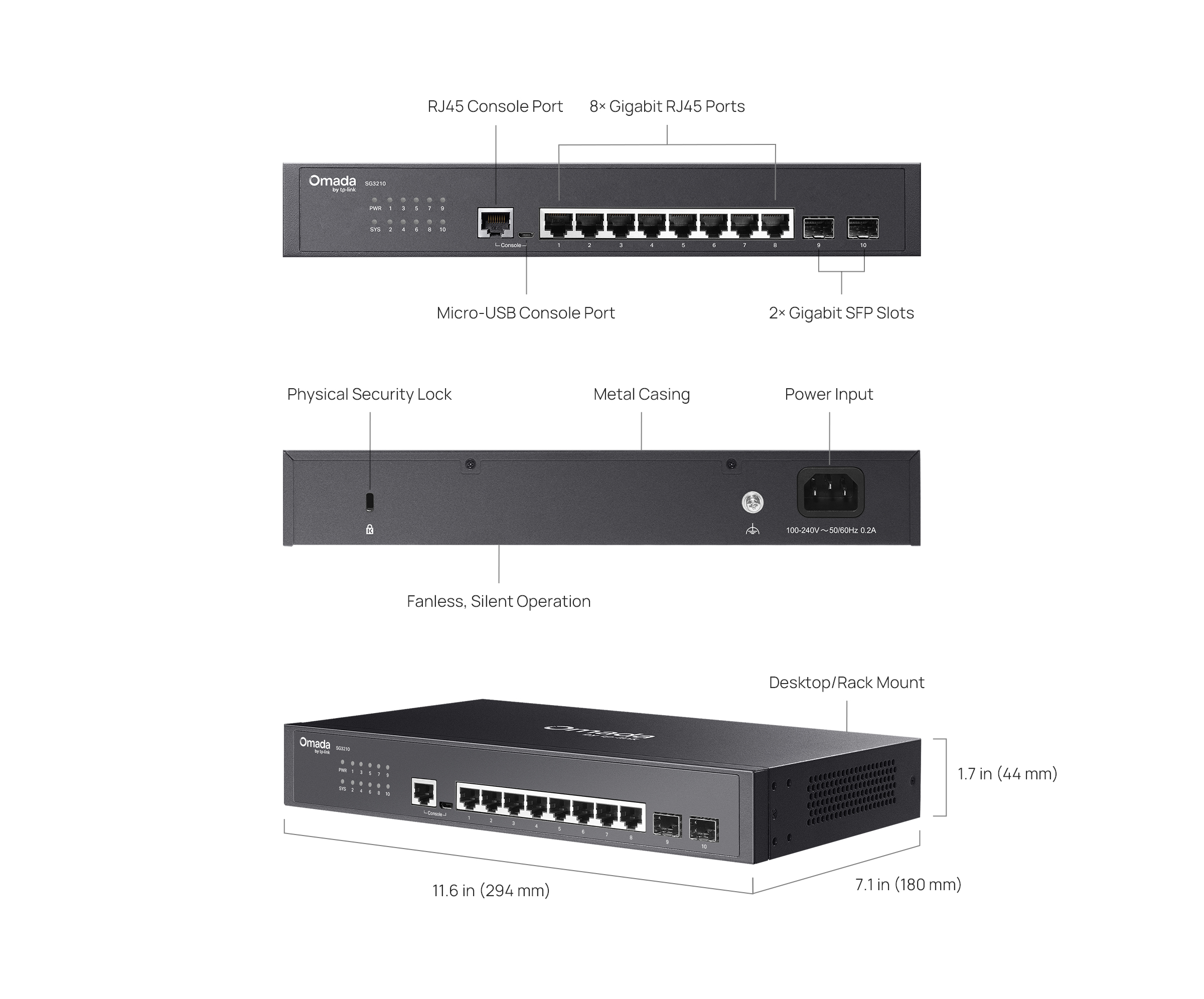
- 8× Gigabit RJ45 ports and 2× Gigabit SFP slots
- Centralized cloud management via the web or the Omada app†
- Standalone management via web, CLI, SNMP, and RMON
- Static Routing helps route internal traffic for higher efficiency
- VLAN, ACL, QoS, IGMP Snooping, OAM, and DDM
- ERPS supports rapid protection and recovery in a ring topology
- Fanless design for silent operation
- Durable metal casing and desktop/rack mounting design

Omada Access 8-Port
Gigabit Switch with
2 SFP Slots
8× Gigabit RJ45 Ports, 2× Gigabit SFP Slots
Fanless Design for Silent Operation
Centralized Management†
Omada App†
Zero-Touch Provisioning†
Ethernet Ring Protection Switching
Static Routing
Traffic Separation
Software Defined
Networking (SDN) with
Cloud Access
Remotely manage your access points, switches, and
gateways across multiple sites all from a single
interface.
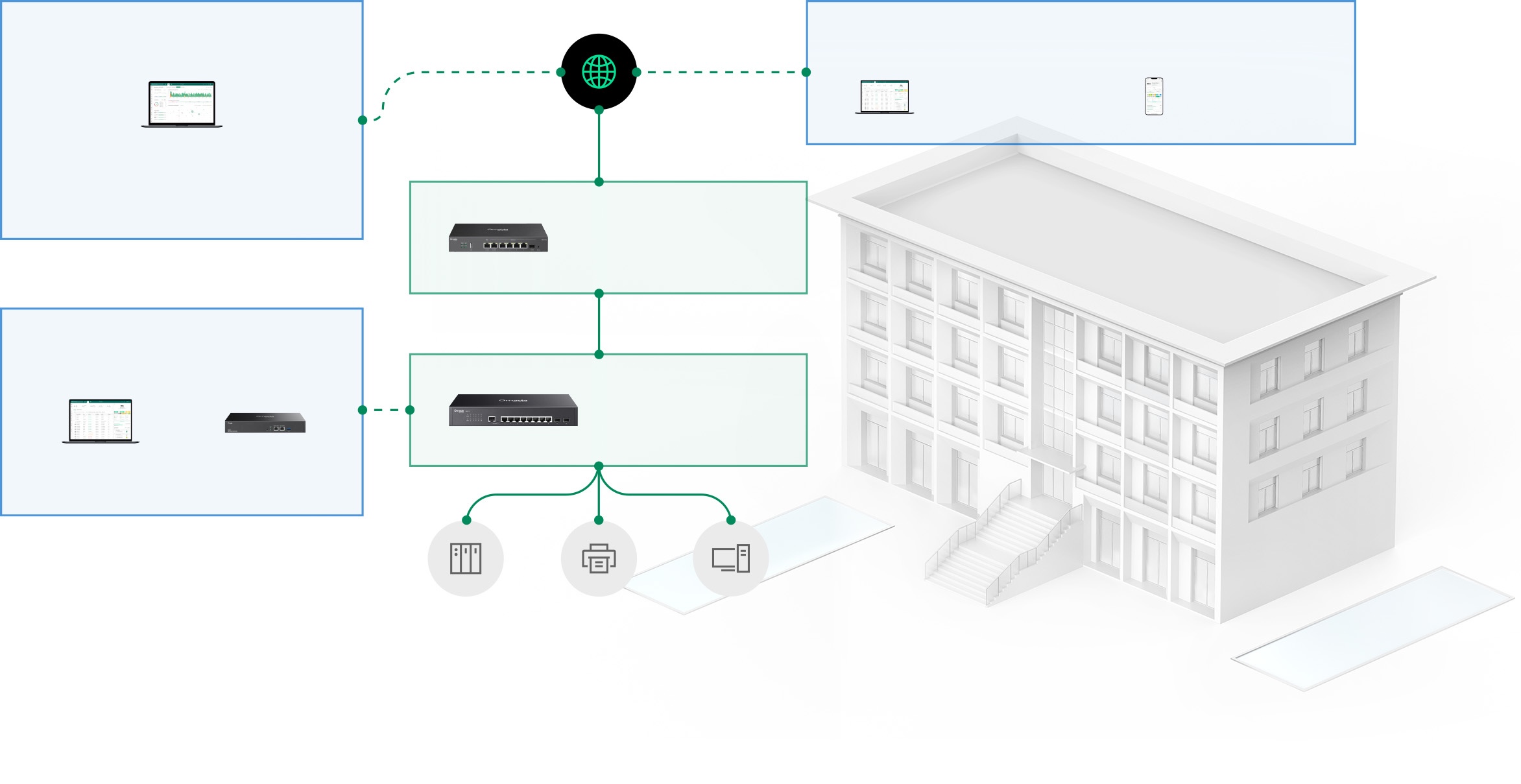
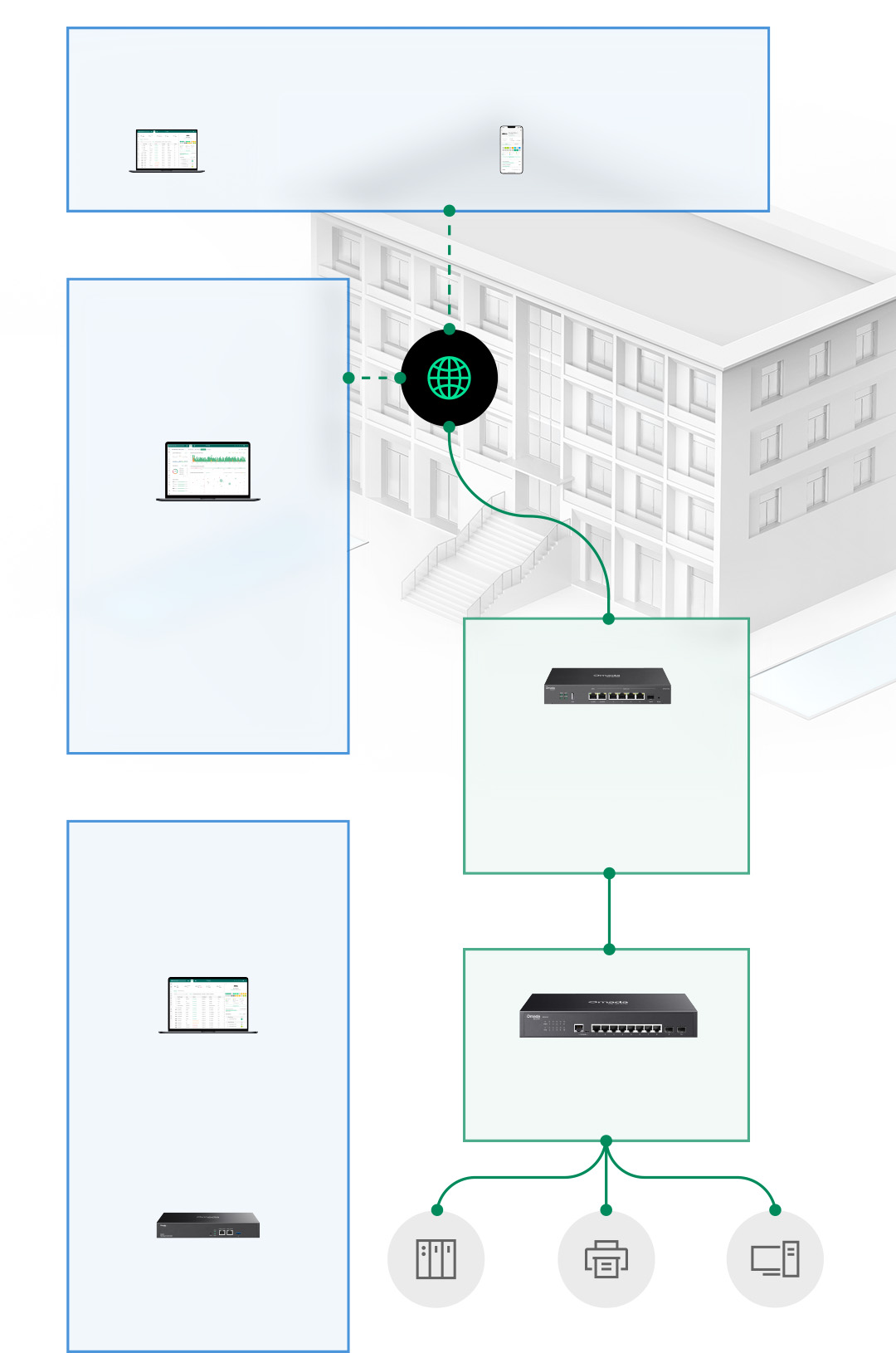
Cloud Access to Omada Controller
Web Browser
Omada App
Cloud-Based Controller
Standard Version or Essentials Version
or
On-Premises
Controllers
Software
or
Hardware
Internet
Omada
VPN Gateway
Omada Switch
NAS
Printer
Desktop
| HARDWARE FEATURES | |
|---|---|
| Interface | • 8× 10/100/1000 Mbps RJ45 Ports (Auto-Negotiation/Auto MDI/MDIX)• 2× 100/1000 Mbps SFP Slots• 1× RJ45 Console Port• 1× Micro-USB Console Port |
| Fan Quantity | Fanless |
| Physical Security Lock | √ |
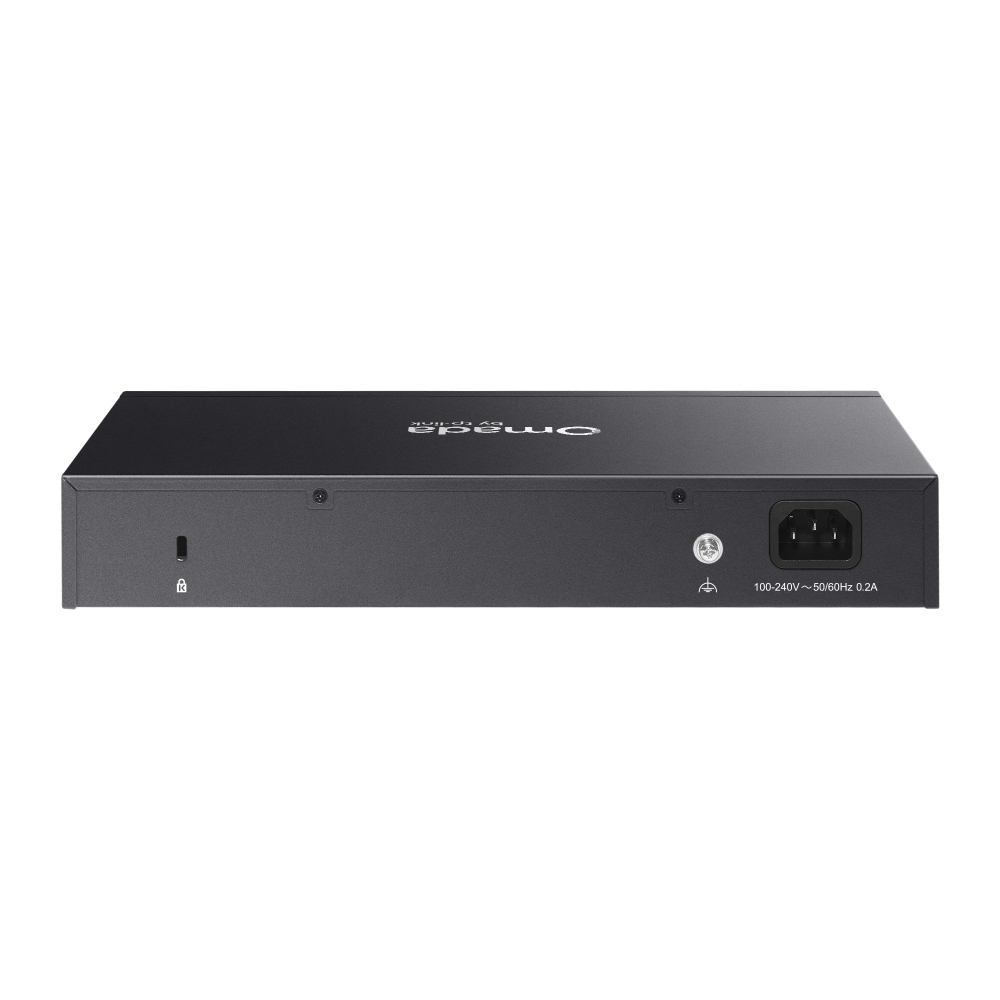
| Power Supply | 100-240 V AC~50/60 Hz |
| Dimensions ( W x D x H ) | 11.6 × 7.1 × 1.7 in (294 × 180 × 44 mm) |
| Surge Protection | ±6 kV |
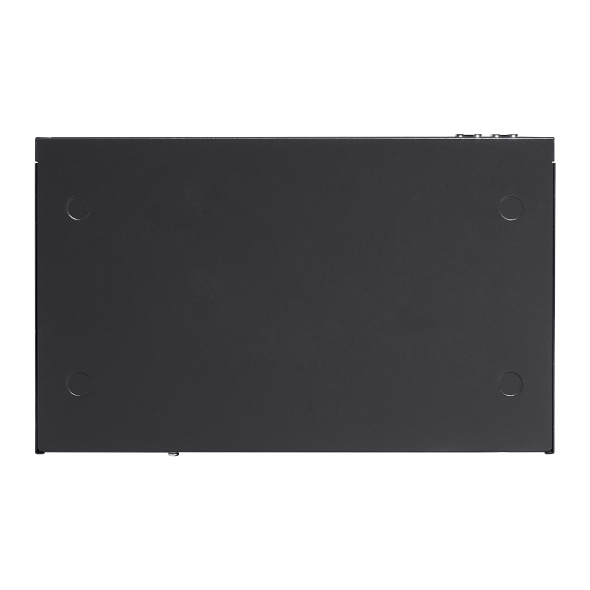
| Mounting | Rack Mountable / Desktop |
| Max. Power Consumption | 6.84 W (220 V/50 Hz) |
| Max Heat Dissipation | 23.33 BTU/h (220 V/50 Hz) |
| PERFORMANCE | |
|---|---|
| Packet Buffer Memory | 4.1 Mbit |
| Jumbo Frame | 9 KB |
| Switching Capacity | 20 Gbps |
| Packet Forwarding Rate | 14.89 Mpps |
| MAC Address Table | 8K |
| SOFTWARE FEATURES | |
|---|---|
| Quality of Service | • 8 priority queues• 802.1p CoS/DSCP priority• Queue scheduling: SP (Strict Priority), WRR (Weighted Round Robin), SP+WRR• Bandwidth Control: Port/Flow based Rating Limiting• Smoother Performance• Action for Flows: QoS remark (802.1P Remark, DSCP Remark) |
| L2 and L2+ Features | • 32 IP Interfaces: Support IPv4/IPv6 Interface• Static Routing: 48 IPv4/IPv6 Static Routes• Static ARP: 128 static entries• 316 ARP Entries• Proxy ARP• Gratuitous ARP• DHCP Server• DHCP Relay: DHCP Interface Relay, DHCP VLAN Relay• DHCP L2 Relay• Link Aggregation• Spanning Tree Protocol• Loopback Detection• 802.3x Flow Control• Mirroring |
| L2 Multicast | • Supports 511 (IPv4, IPv6) IGMP groups• IGMP Snooping• IGMP Authentication• Multicast VLAN Registration (MVR)• MLD Snooping• Multicast Filtering: 256 profiles and 16 entries per profile |
| Advanced Features | • Automatic Device Discovery†• Batch Configuration†• Batch Firmware Upgrading†• Intelligent Network Monitoring†• Abnormal Event Warnings†• Unified Configuration†• Reboot Schedule†ISP Features*:• L2PT (Layer 2 Protocol Tunneling) • Device Link Detect Protocol (DLDP)• PPPoE ID Insertion• ERPS• 802.3ah Ethernet Link OAM• DDM |
| VLAN | • VLAN Group: Max 4K VLAN Groups• 802.1q Tagged VLAN• MAC VLAN: 12 Entries• Protocol VLAN: Protocol Template 16, Protocol VLAN 16• GVRP• VLAN VPN (QinQ): Port-Based QinQ; Selective QinQ• Voice VLAN |
| Access Control List | • Time-based ACL• MAC ACL: Source MAC, Destination MAC, VLAN ID, User Priority, Ether Type• IP ACL: Source IP, Destination IP, Fragment, IP Protocol, TCP Flag, TCP/UDP Port, DSCP/IP TOS, User Priority• Combined ACL• Packet Content ACL• IPv6 ACL• Policy: Mirroring, Redirect, Rate Limit, QoS Remark• ACL apply to Port/VLAN |
| Security | • IP-MAC-Port Binding - 512 Entries - DHCP Snooping - ARP Inspection - IPv4 Source Guard: 100 Entries• IPv6-MAC-Port Binding - 512 Entries - DHCPv6 Snooping - ND Detection - ND Snooping - IPv6 Source Guard: 100 Entries• DoS Defend• DHCP Filter• Static/Dynamic Port Security: Up to 64 MAC addresses per port• Broadcast/Multicast/Unicast Storm Control: kbps/ratio/pps control mode• 802.1X- Port-based authentication- Mac-base authentication- VLAN Assignment- MAB- Guest VLAN- Radius authentication and accountability support • AAA (including TACACS+)• Port Isolation• Secure web management through HTTPS with SSLv3/TLS 1.2• Secure Command Line Interface (CLI) management with SSHv1/SSHv2• IP/Port/MAC-based access control |
| IPv6 | • IPv6 Dual IPv4/IPv6• Multicast Listener Discovery (MLD) Snooping• IPv6 ACL• IPv6 Interface• Static IPv6 Routing• IPv6 neighbor discovery (ND)• Path maximum transmission unit (MTU) discovery• Internet Control Message Protocol (ICMP) version 6• TCPv6/UDPv6• IPv6 applications: DHCPv6 Client, Ping6, Tracert6, Telnet (v6), IPv6 SNMP, IPv6 SSH, IPv6 SSL, Http/Https, IPv6 TFTP |
| MIBs | • MIB II (RFC1213)• Bridge MIB (RFC1493)• P/Q-Bridge MIB (RFC2674)• Radius Accounting Client MIB (RFC2620)• Radius Authentication Client MIB (RFC2618)• Remote Ping, Traceroute MIB (RFC2925)• Support TP-Link private MIBs• RMON MIB(RFC1757, rmon 1,2,3,9) |
| Management Features | |
|---|---|
| Omada App | Yes. Requiring the use of Omada Hardware Controller, Omada Cloud-Based Controller, or Omada Software Controller. |
| Centralized Management | • Omada Cloud-Based Controller (Requires built-in version 5.15.22 or later)• Omada Hardware Controller (Requires built-in version 5.15.20 or later)• Omada Software Controller (Requires built-in version 5.15.20 or later) |
| Cloud Access | Yes. Requiring the use of Omada Hardware Controller, Omada Cloud-Based Controller, or Omada Software Controller. |
| Zero-Touch Provisioning | Yes. Requiring the use of Omada Cloud-Based Controller. |
| Management Features | • Web-based GUI• Command Line Interface (CLI) through console port, telnet• SNMPv1/v2c/v3- Trap/Inform- RMON (1, 2, 3, 9 groups)• SDM Template• DHCP/BOOTP Client• 802.1ab LLDP/LLDP-MED• DHCP AutoInstall• Dual Image, Dual Configuration• CPU Monitoring• Cable Diagnostics• EEE• Password Recovery• SNTP• System Log |
| OTHERS | |
|---|---|
| Certification | CE, FCC, RoHS |
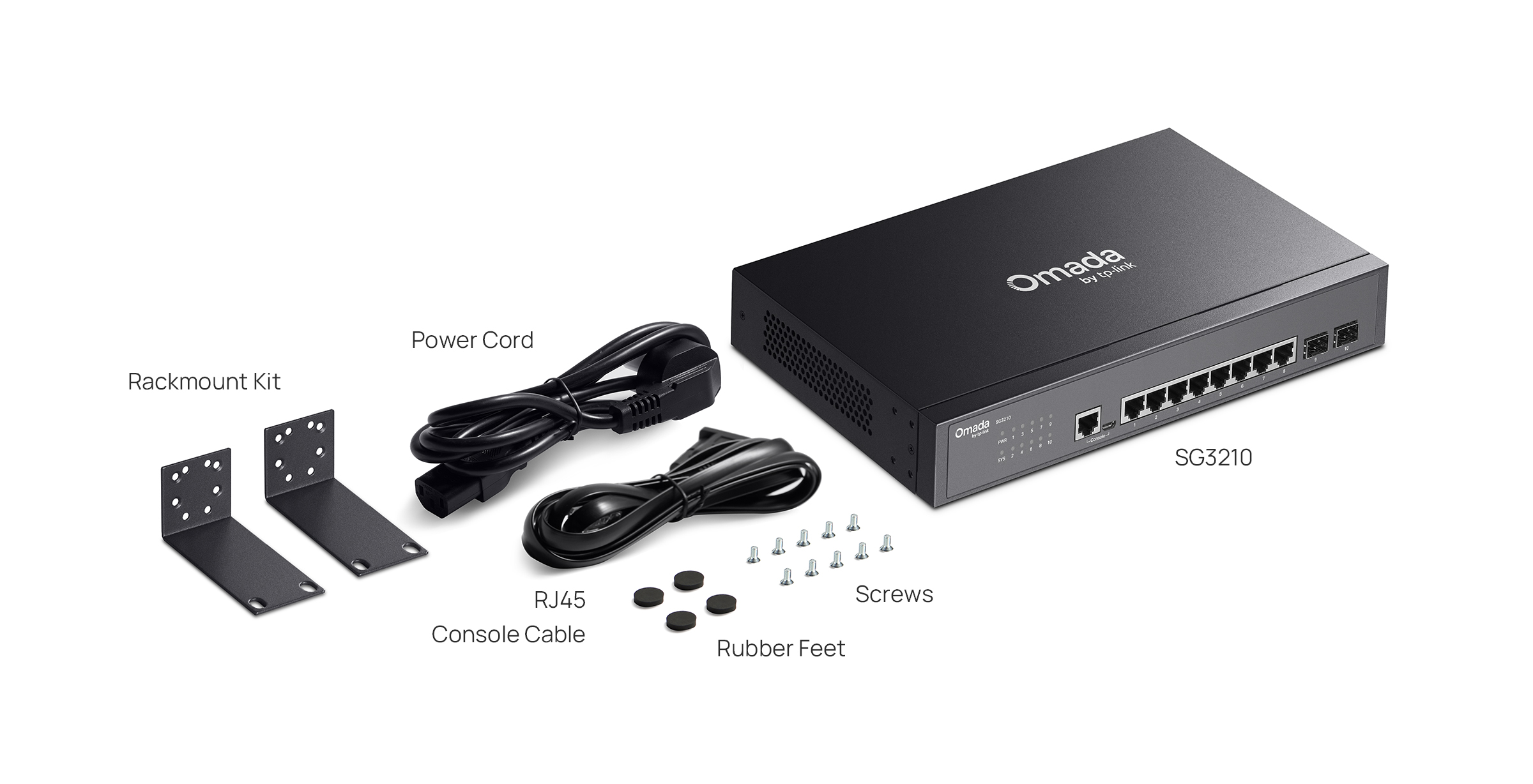
| Package Content | • SG3210 Switch• Power Cord• Console Cable• Rackmount Kit• Rubber Feet• Quick Installation Guide |
| System Requirements | Microsoft® Windows® 98SE, NT, 2000, XP, Vista™ or Windows 7/8/10/11, MAC® OS, NetWare®, UNIX® or Linux. |
| Environment | • Operating Temperature: -5–50 ℃ (23–122 ℉)• Storage Temperature: -40–70 ℃ (-40–158 ℉)• Operating Humidity: 10–90% RH non-condensing• Storage Humidity: 5–90% RH non-condensing |
†These functions require the use of the Omada Controller. Zero-Touch Provisioning requires the use of Omada Central (Omada Central Standard or Omada Central Essentials). Go to the Omada Central Standard Product List or Omada Central Essentials Product List to find all the supported models.
*ISP features can only be configured in standalone mode.