
Download for HX521
IMPORTANT:
Model and hardware version availability varies by region. Please refer to your TP-Link regional website to determine product availability.
Vx.0=Vx.6/Vx.8/Vx.9(eg:V1.0=V1.6/V1.8/V1.9)
Vx.x0=Vx.x6/Vx.x8/Vx.x9 (eg:V1.20=V1.26/V1.28/V1.29)
Vx.30=Vx.32/Vx.33 (eg:V3.30=V3.32/V3.33)
Vx.0=Vx.6/Vx.8/Vx.9(eg:V1.0=V1.6/V1.8/V1.9)
Vx.x0=Vx.x6/Vx.x8/Vx.x9 (eg:V1.20=V1.26/V1.28/V1.29)
Vx.30=Vx.32/Vx.33 (eg:V3.30=V3.32/V3.33)
- Product Overview
- Manual
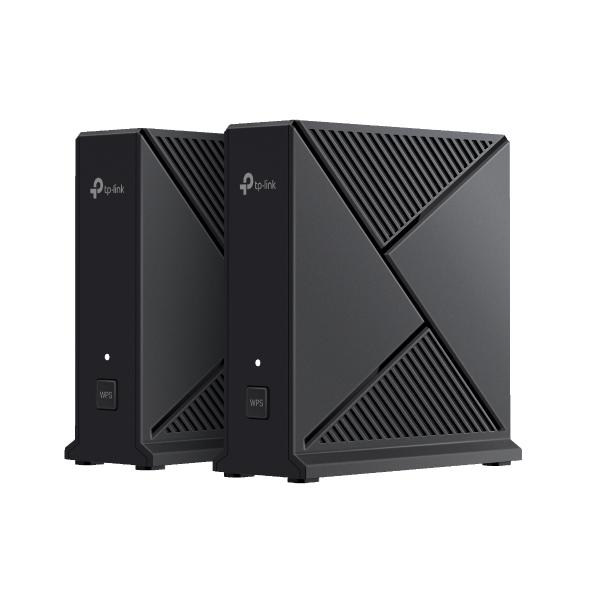 AX3000 Whole Home Mesh WiFi System
FAQs
- Port forwarding: How to set up Virtual Server on TP-Link ISP-customized Router
- How to back up and restore the configuration file of TP-Link ISP-customized devices
- What if the internet connection is slow when the device is connected to the TP-Link ISP-customized devices?
- How to set up an IPv6 connection on TP-Link ISP-customized devices
- What if I forget my TP-Link ID password for TP-Link ISP-customized Router
- How to configure IP & MAC Binding on TP-Link ISP-customized Router
- How to manage user TP-Link IDs on TP-Link ISP-customized Router
- How to configure Guest Network on TP-Link ISP-customized Router
- What should I do if my NAS device doesn’t work properly with TP-Link ISP-customized Router?
- How to create Static Route on TP-Link ISP-customized Router
- How to change the LAN IP address of TP-Link ISP-customized Modem Router
- How to add manager account for TP-Link ISP-customized Router
- How to change notification settings in Aginet app
- How to set up LED control for TP-Link ISP-customized Router
- How to create a network for guests on the TP-Link Wi-Fi ISP-customized router
- Why port forwarding feature is not working on TP-Link ISP-Customized Router?
- How to use PPTP/OpenVPN to access home network through TP-Link ISP-customized Wi-Fi Router
GPL Code
Emulators
Firmware Version |
Working Mode |
Language |
|
|---|---|---|---|
251201 |
- |
Multi-language |
Note:
1. The emulator is a virtual web GUI where you can experience the TP-Link product management panel.
2. The listed emulators might not have the latest firmware.
3. The features displayed are for reference, and their availability may depend on local regulations. For more information, please refer to the datasheet or product page.