
Download voor Tapo C260
Vx.0=Vx.6/Vx.8/Vx.9(eg:V1.0=V1.6/V1.8/V1.9)
Vx.x0=Vx.x6/Vx.x8/Vx.x9 (eg:V1.20=V1.26/V1.28/V1.29)
Vx.30=Vx.32/Vx.33 (eg:V3.30=V3.32/V3.33)
- Product Overview
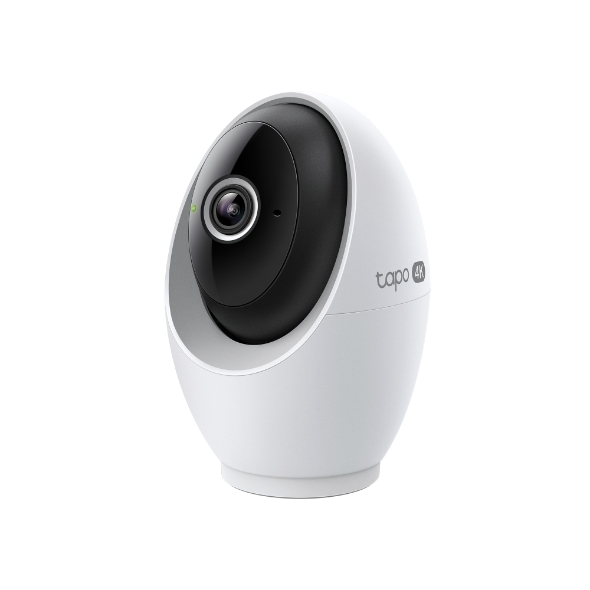 Wifi-bewakingscamera met AI en draai- en kantelfunctie
Setup Video
-
How to Mount Tapo Pan/Tilt AI Home Security Wi-Fi Camera (Tapo C260)
Tapo 4K Clarity, Every Detail, Every Moment, Captured. Tapo C260 records all of life's wonderful moments with exceptional clarity. The free and powerful Al recognizes and tags strangers, family, and friends for easy identification.
More Fold -
How to Set Up Tapo Pan/Tilt AI Home Security Wi-Fi Camera (Tapo C260)
Tapo 4K Clarity, Every Detail, Every Moment, Captured. Tapo C260 records all of life's wonderful moments with exceptional clarity. The free and powerful Al recognizes and tags strangers, family, and friends for easy identification.
More Fold
FAQs
- Wat is een TP-Link ID en hoe maak ik een TP-Link ID?
- How to Connect Tapo and Kasa Devices to Samsung SmartThings
- Wat moet ik doen als ik geen TP-Link ID kan registreren of activeren?
- Hoe vind ik de hardware versie van een TP-Link product?
- How to Find the Model Number of Your TP-Link Device
- Tapo Smart Hub Compatible Camera List
- How to set up TP-Link Tapo smart device (Bluetooth) via the Tapo app
- Tapo Care annuleren en terugbetaling
- How to update or change the payment method for Tapo Care or Kasa Care
- Frequently asked questions about Face Management
- Hoe voeg ik nieuwe camera's toe aan mijn Tapo Care-abonnement
- How to fix no sound or audio quality issues on Tapo Camera/Doorbell
- Wat doe ik als ik het wachtwoord van mijn cloud-account ben vergeten (Tapo smart-plug, smart-camera, smart-lamp)?
- Wat moet ik doen als ik geen e-mail ontvang wanneer ik mijn cloud-account heb geregistreerd of mijn wachtwoord heb gereset?
- How to make Tapo devices work with IFTTT
- Why do I need to give Local Network permission to TP-Link apps in iOS devices?
- How to reduce noise on Tapo cameras
- How to reset Tapo Camera
- Wat kan ik doen als de firmware van mijn Tapo smart-apparaten (smart-plug, smart-camera, smart-lamp) niet wordt bijgewerkt?
- How to install and format SD card for Tapo camera
- What should I do if the SD card cannot be formatted/recognized?
- How to view camera SD card recordings on a computer
- How to edit Home and Away Mode for Tapo/Kasa Cameras and Doorbells on the Tapo app
- What should I do if I encounter issues while playing back videos from an SD card?
- How to configure Home feature and Room feature in Tapo app
- Why do I receive a "We Noticed a New Login" email?
- What should I do if Tapo/Kasa notifications are delayed or not working?
- How to cast TP-Link Camera/Doorbell to TV via Tapo Smart HomeBase
- General Questions about Tapo/Kasa Geofencing
- How to find serial number on TP-Link devices
- What is Video Summary
- Cannot make my TP-Link smart devices work with Alexa
- How to configure the Notification feature for the Tapo & Kasa devices on the Tapo app
- How to fix a flickering issue on Live View of the Tapo Camera
- How to connect Tapo / Kasa smart device to Google Home
- How to set up routines for Tapo devices via Alexa app
- How to stream Tapo / Kasa Camera on Google device
- How to set privacy zone for Tapo Camera
- Why cannot I receive the SMS verification code from Tapo app?
- How to set up the Tapo camera
- How to optimize facial recognition performance of Tapo Security Device
- The most frequent asked questions about TP-Link Sales
- How can I delete my TP-Link cloud account?
- How to check and improve the network connection stability of Tapo&Kasa smart devices
- Hoe kan ik 3DS-authenticatie uitvoeren bij het aanschaffen van Tapo Care?
- How to set a static IP for your Tapo Camera/Doorbell
- How to unlink third-party accounts from your TP-Link ID
- How to verify if it’s the hardware issue of TP-Link smart home
- Waarom heeft TP-Link mijn e-mailadres nodig?
- How to create 3D Map in the Tapo App for Pad
- Wat kan ik doen als ik mijn Tapo smart-apparaten (smart-plug, smart-camera, smart-lamp) niet via Alexa of Google Home kan bedienen
- Tapo/Kasa Devices are showing offline after changing or resetting the router.
Firmware Release Note
Refer the FAQ to update firmware.
|
Tapo C260(EU)_V1_1.1.12 Build 260128 |
|---|
| Publicatiedatum: 2026-02-03 |
|
Modifications and Bug Fixes: |
|
Tapo C260(EU)_V1_1.1.9 Build 251226 |
|---|
| Publicatiedatum: 2026-01-26 |
|
Modifications and Bug Fixes: |
|
Tapo C260(EU)_V1_1.1.8 Build 251205 |
|---|
| Publicatiedatum: 2025-12-24 |
|
Modifications and Bug Fixes: |
|
Tapo C260(EU)_V1_1.1.3 Build 251010 |
|---|
| Publicatiedatum: 2025-10-17 |
|
Modifications and Bug Fixes: |
|
Tapo C260(EU)_V1_1.0.21 Build 250728 |
|---|
| Publicatiedatum: 2025-08-26 |
|
Modifications and Bug Fixes: |
|
Tapo C260(EU)_V1_1.0.15 Build 250508 |
|---|
| Publicatiedatum: 2025-05-29 |
|
Modifications and Bug Fixes: |
Apps

- TP-Link Tapo
- TP-Link Tapo provides the easiest way to manage and control your smart life products.


