
How to make Tapo devices work with IFTTT
 41441
41441Introduction
IFTTT, short for IF This Then That, is a free web service that makes your home smarter by creating useful connections between devices, apps, services, and websites.
These connections, called Applets, work using a Trigger and an Action: If something happens, then do something else.
Tapo devices, including Smart Plugs, Smart Switches, Smart Bulbs, and more, are IFTTT-enabled.
This article provides step-by-step instructions for configuring Tapo devices to work with IFTTT.
Requirements
- Download the IFTTT app from APP Store or Google Play and register an IFTTT account.
- Configured Tapo devices and a TP-Link Tapo account.
Configuration
In this FAQ, we use Tapo L535 smart bulb and Tapo P100 smart plug as an example to achieve “If the smart bulb turns on (Trigger), then turn off living room lamp connected to the smart plug (Action).”
Note: You can also visit IFTTT official website to register an IFTTT account and follow similar steps to connect your device to the IFTTT. In this FAQ, we use the App method as an example.
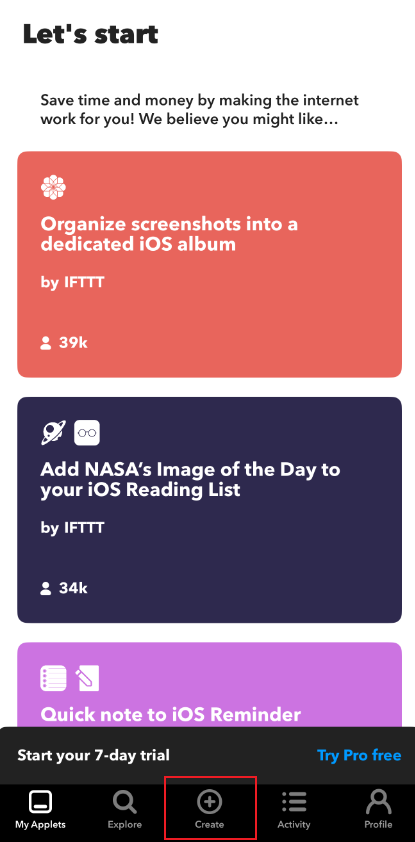
Step 1. Open the IFTTT app and tap Create to add a new Applet.

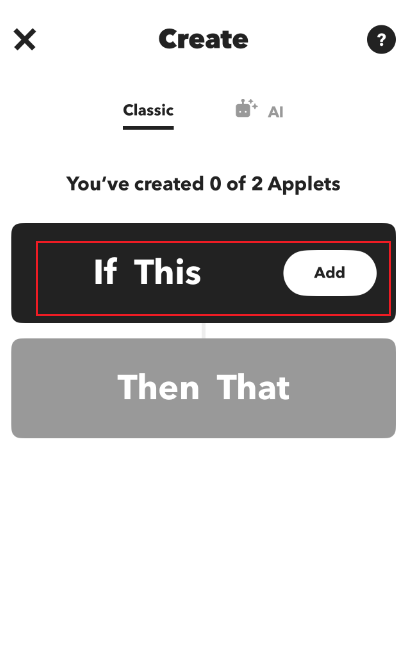
Step 2. Tap on Add to create a Trigger. In the search bar, put in the brand of your smart bulb. Here, we select TP-Link Tapo and tap on Connect to continue.


Step 3. Tap on Continue and log in with your TP-Link ID, then tap on Authorize to link your Tapo account.


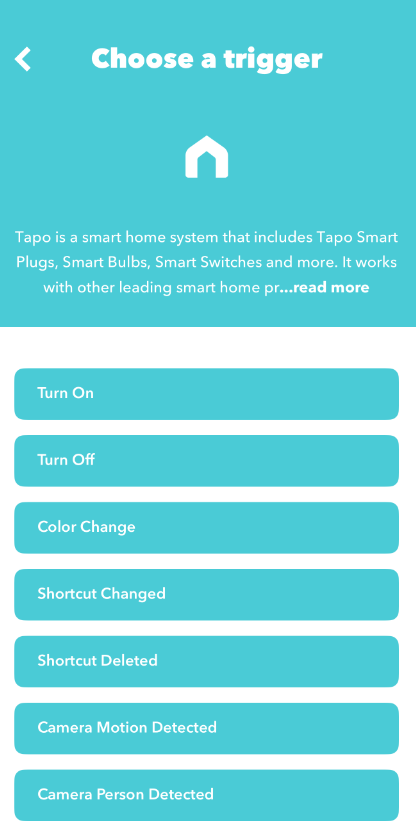
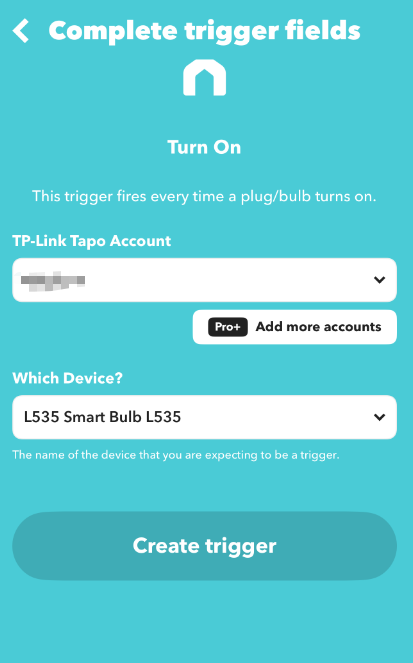
Step 4. Choose a trigger, select your device, and tap on Create trigger.
Step 5. Tap on Add to create an action. In the search bar, put in the brand of your smart plug. Here we select TP-Link Tapo.
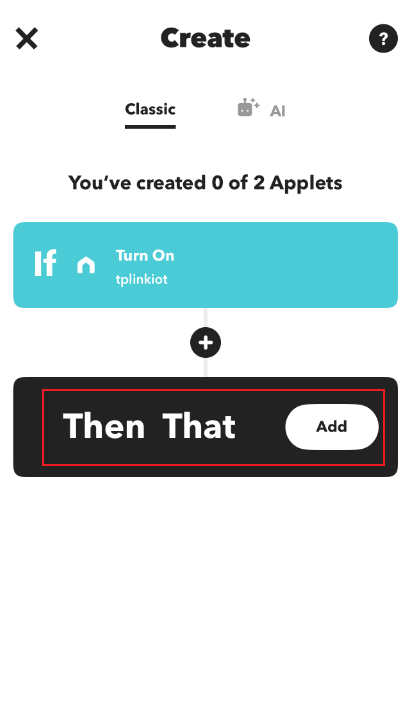

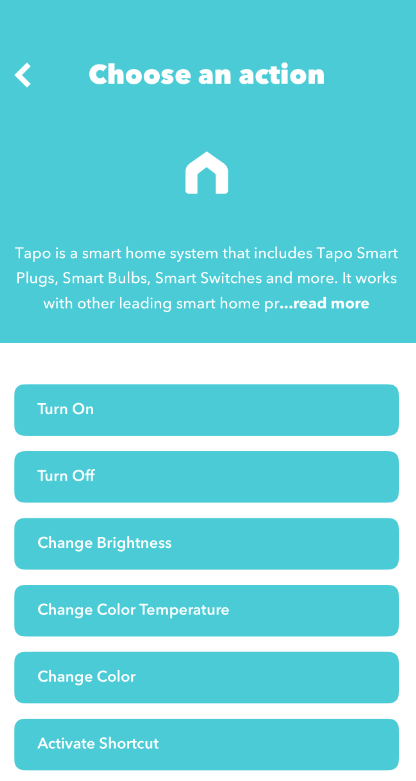
Step 6. Choose an action, select your device, and tap on Create action.
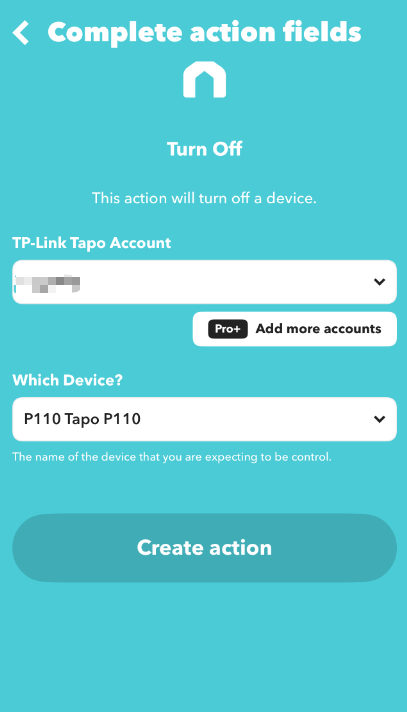
Step 7. Tap on Continue, and then Finish to complete the whole setup.
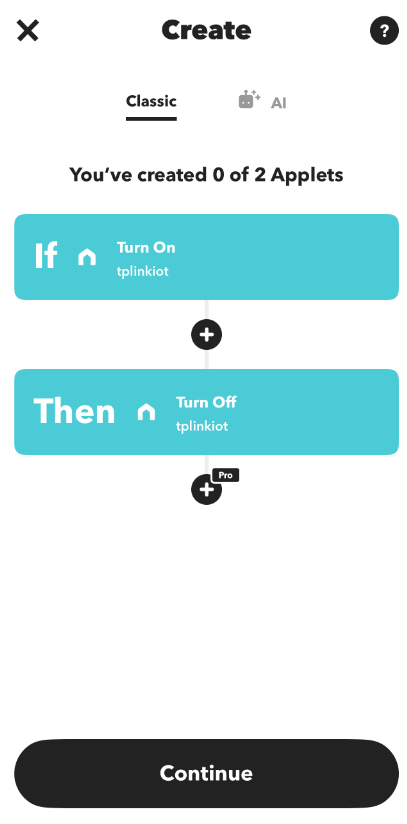
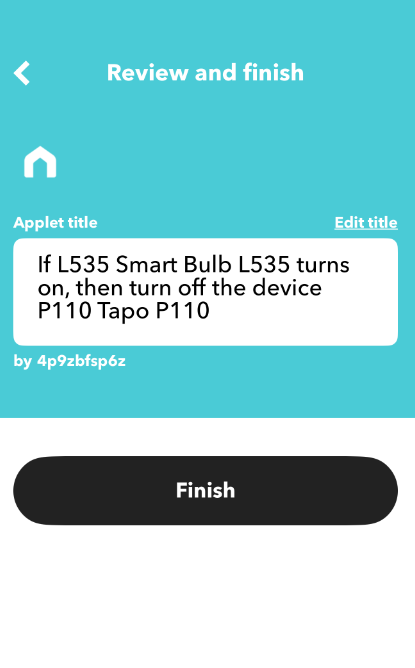
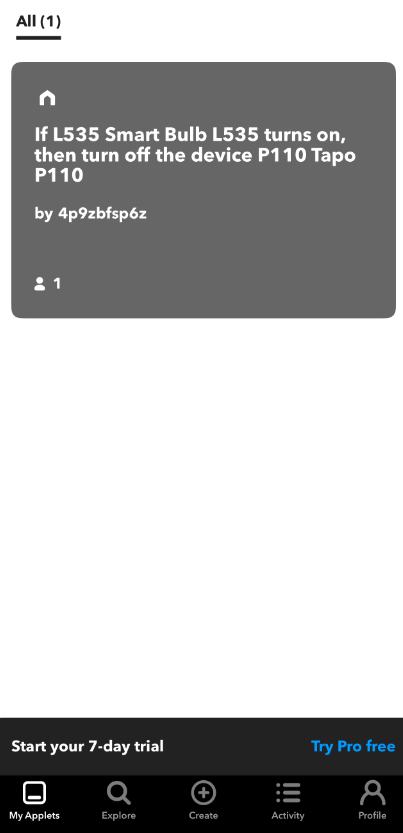
Step 8. The new Applet will appear in the IFTTT app. At this moment, if the L535 smart bulb turns on, then the living room lamp (connected to P110 smart plug) will turn off afterwards.
Был ли этот FAQ полезен?
Ваш отзыв поможет нам улучшить работу сайта.



Сообщество TP-Link
Нужна помощь? Задавайте вопросы, находите ответы и обращайтесь за помощью к специалистам TP-Link и другим пользователям со всего мира.