
ดาวนโหลดสำหรับ Tapo C260
- ภาพรวมของผลิตภัณฑ์
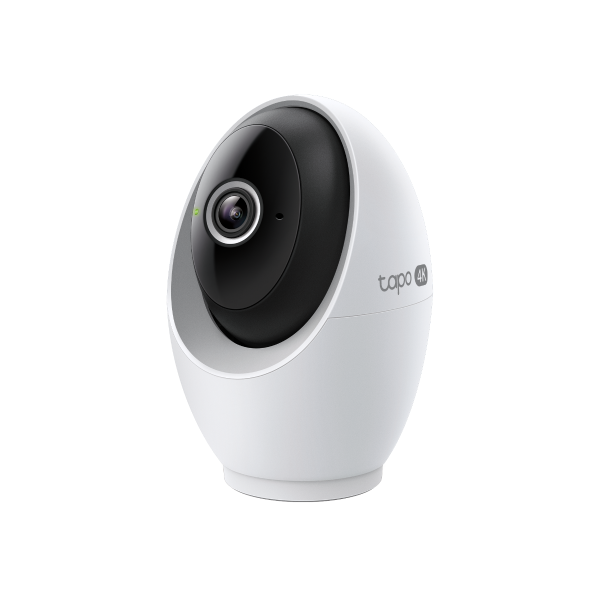 Pan/Tilt AI Home Security Wi-Fi Camera
วิดีโอการตั้งค่า
-
How to Mount Tapo Pan/Tilt AI Home Security Wi-Fi Camera (Tapo C260)
Tapo 4K Clarity, Every Detail, Every Moment, Captured. Tapo C260 records all of life's wonderful moments with exceptional clarity. The free and powerful Al recognizes and tags strangers, family, and friends for easy identification.
เพิ่มเติม พับเก็บ -
How to Set Up Tapo Pan/Tilt AI Home Security Wi-Fi Camera (Tapo C260)
Tapo 4K Clarity, Every Detail, Every Moment, Captured. Tapo C260 records all of life's wonderful moments with exceptional clarity. The free and powerful Al recognizes and tags strangers, family, and friends for easy identification.
เพิ่มเติม พับเก็บ
คำถามที่พบบ่อย
- TP-Link ID คืออะไร
- How to Connect Tapo and Kasa Devices to Samsung SmartThings
- ทำไมฉันถึงลงทะเบียนไม่ได้?
- จะค้นหาเวอร์ชั่นฮาร์ดแวร์บนอุปกรณ์ TP-Link ได้อย่างไร
- How to Find the Model Number of Your TP-Link Device
- รายการกล้องที่รองรับฮับ Tapo H200/H500
- How to set up TP-Link Tapo smart device (Bluetooth) via the Tapo app
- Tapo Care การยกเลิกและการขอคืนเงิน
- How to update or change the payment method for Tapo Care or Kasa Care
- การแนะนำการจัดการใบหน้า Face Recognition
- วิธีเพิ่มกล้องใหม่เข้าไปในแผน Tapo Care ของฉัน
- How to fix no sound or audio quality issues on Tapo Camera/Doorbell
- What if I forget my TP-Link ID password for TP-Link Tapo/Kasa device
- ควรทำอย่างไรหากไม่ได้รับอีเมลเมื่อลงทะเบียนบัญชีระบบคลาวด์หรือรีเซ็ตรหัสผ่าน?
- How to make Tapo devices work with IFTTT
- Why do I need to give Local Network permission to TP-Link apps in iOS devices?
- How to reduce noise on Tapo cameras
- How to reset Tapo Camera
- What can I do if Tapo/Kasa Smart Devices fail to update the firmware?
- How to install and format SD card for Tapo camera
- What should I do if the SD card cannot be formatted/recognized?
- How to view camera SD card recordings on a computer
- How to edit Home and Away Mode for Tapo/Kasa Cameras and Doorbells on the Tapo app
- What should I do if I encounter issues while playing back videos from an SD card?
- How to configure Home feature and Room feature in Tapo app
- Why do I receive a "We Noticed a New Login" email?
- What should I do if Tapo/Kasa notifications are delayed or not working?
- How to cast TP-Link Camera/Doorbell to TV via Tapo Smart HomeBase
- General Questions about Tapo/Kasa Geofencing
- How to find serial number on TP-Link devices
- ทำไมฉันถึงไม่ได้รับรหัสยืนยันทาง SMS จากแอป Tapo
- What is Video Summary
- Cannot make my TP-Link smart devices work with Alexa
- How to configure the Notification feature for the Tapo & Kasa devices on the Tapo app
- How to fix a flickering issue on Live View of the Tapo Camera
- How to connect Tapo / Kasa smart device to Google Home
- How to set up routines for Tapo devices via Alexa app
- How to stream Tapo / Kasa Camera on Google device
- How to set privacy zone for Tapo Camera
- How to set up the Tapo camera
- วิธีการสร้างแผนที่ 3 มิติในแอป Tapo สำหรับ Pad / Tablet
- How to optimize facial recognition performance of Tapo Security Device
- The most frequent asked questions about TP-Link Sales
- How can I delete my TP-Link cloud account?
- How to check and improve the network connection stability of Tapo&Kasa smart devices
- How can I conduct 3DS authentication when purchasing Tapo Care
- How to set a static IP for your Tapo Camera/Doorbell
- How to unlink third-party accounts from your TP-Link ID
- How to verify if it’s the hardware issue of TP-Link smart home
- ทำไม TP-Link ต้องการที่อยู่อีเมลของฉัน
- Cannot make TP-Link smart devices work with Google Home
- Tapo/Kasa Devices are showing offline after changing or resetting the router.
แอปฯ

- TP-Link Tapo
TP-Link Tapo provides the easiest way to manage and control your smart life products.


